
Automated inventory control prevents unexpected stockouts, optimizes working capital, and keeps your shelves stocked with high-demand retail items in TRAX Store Management System.
1. Real-Time Stock Deduction #
Every time a cashier completes a sale on the POS terminal:
- Sold item quantities are instantly deducted from active inventory.
- Returns and refunded items are automatically returned to available stock.
- Inventory levels synchronize across all connected cashier terminals in real-time.
2. Minimum Reorder Thresholds (Low Stock Warning) #
- Go to the Store Page, then the tap Inventory , .
- For each product, the Low Stock Threshold is 50% from the total (This value is set by the program by default).
- Whenever physical stock reaches or drops below this threshold:
- A warning badge triggers automatically in the inventory table.
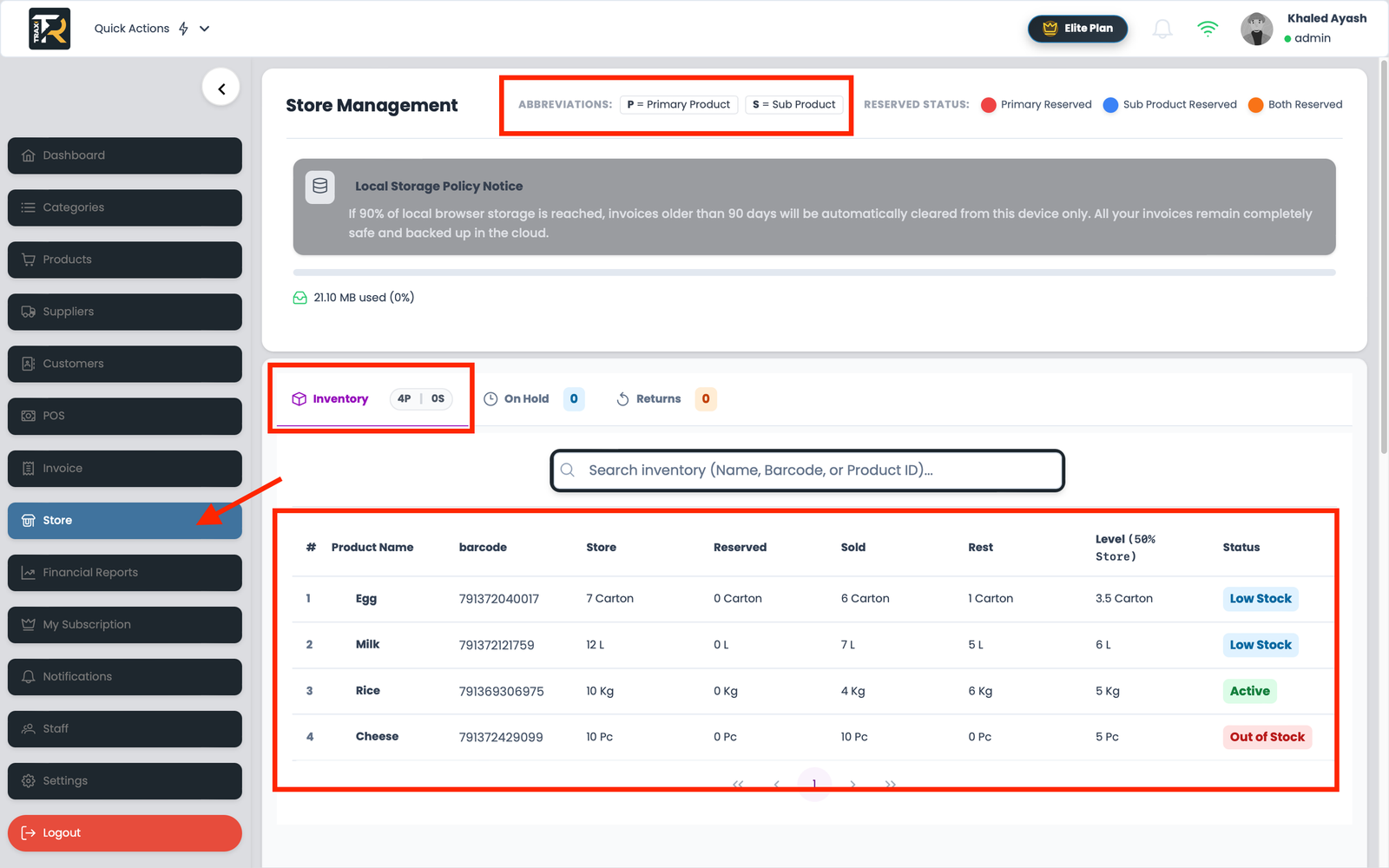
Visual Reference: Inventory & Stock Alerts Dashboard
3. Visual Stock Status Badges Explained #
- 🟢 In Stock (Green): Healthy stock level well above the minimum threshold.
- 🟡 Low Stock Warning (Blue): Quantity has fallen below the reorder point; reordering from suppliers is advised.
- 🔴 Out of Stock (Red): Zero units available. Cashiers will be warned upon scanning to prevent negative inventory overselling.
Clarification between primary and secondary products, in case of internal secondary products, with a separate barcode for each product.