

Each basic product can be added to a set of sub/products so that it also has its own data
1- Adding sup-products to : #
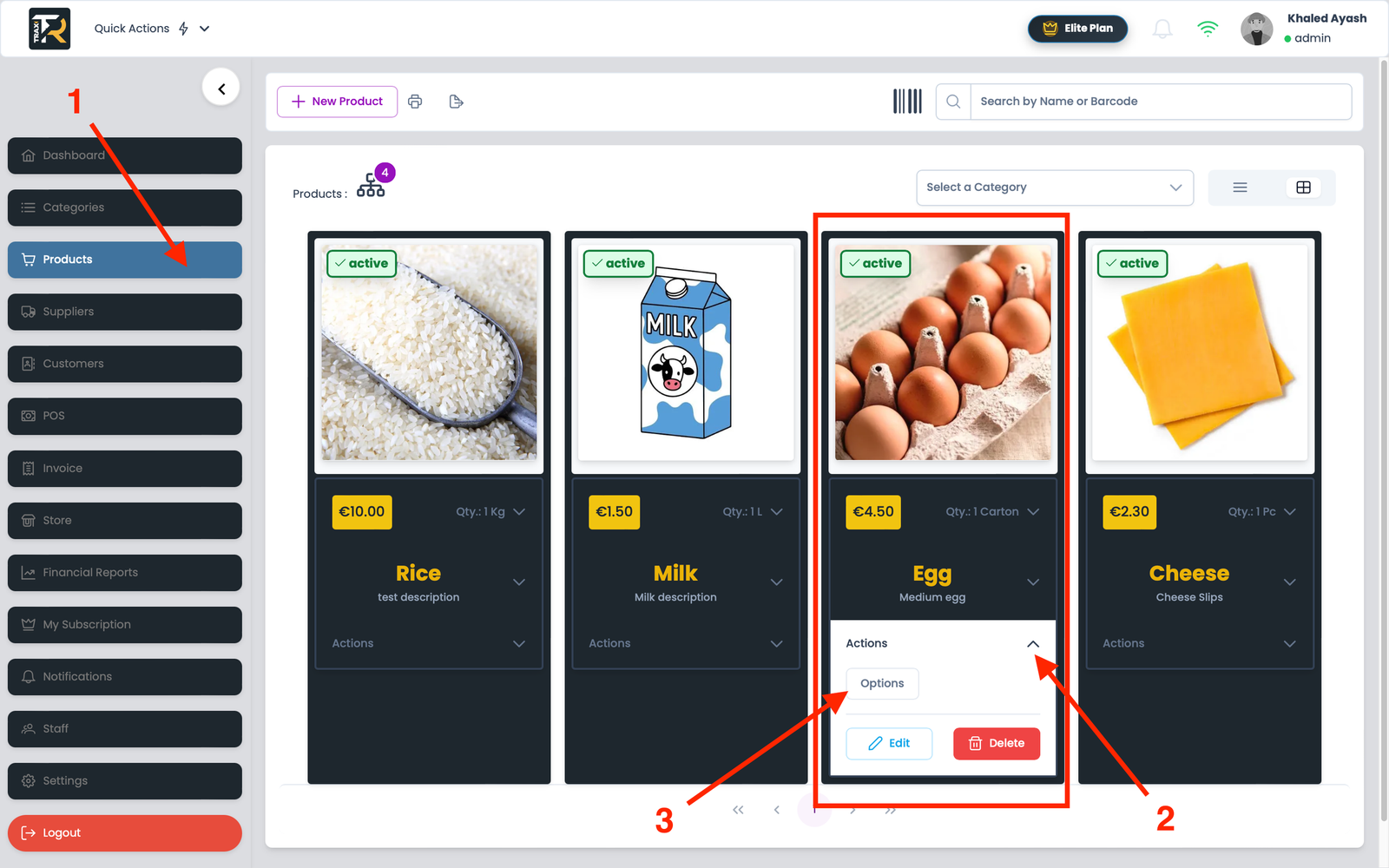
- Navigate to Products from the sidebar and Choose the primary product you want to add a sub-product to
- Expand the list (Actions)
- Click on the Options button
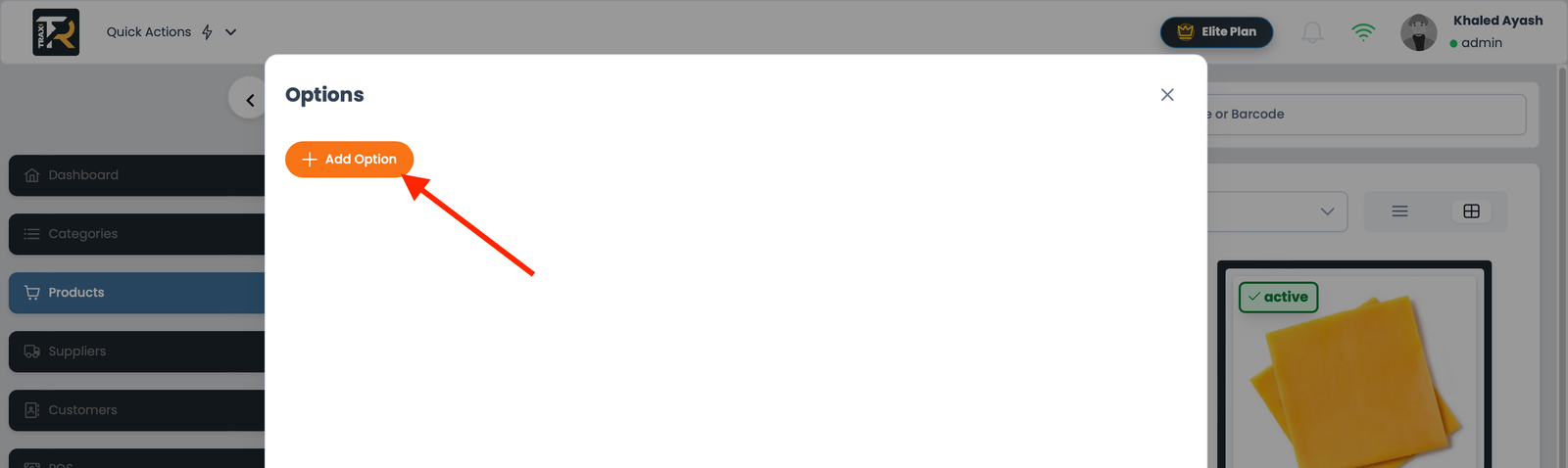
- From the pending menu, click the button +Add option
- From the pending list, fill in all the required fields similarly to add a basic product

- Select the main product from which the sub-option is to be deleted
- Expand the list (Actions)
- Click on the Options button
- From the pending menu, click the button Delete